
A location page has a straightforward job. It should help someone decide whether this is the office they need and make it easy to take the next step. A visitor may already know your firm and need directions, or they may be comparing nearby lawyers. Both need accurate, specific information about the place. Repeating the same sales paragraph across a dozen city pages gives them little help.
Start with the actual office
Lead with the office name, address, phone number, and appointment arrangements. If visitors need an appointment before coming in, say so near the phone number or scheduling link. Explain operating hours and include any instructions that differ from other offices, such as a separate entrance, a building directory, or weekend access.
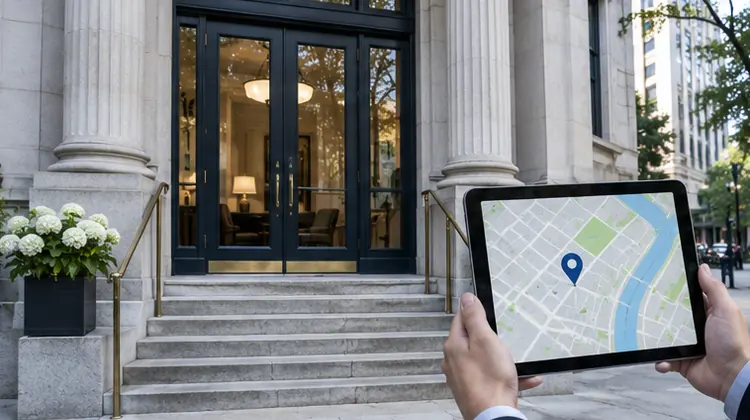
Ask a colleague unfamiliar with the office to try finding it from the street. They may discover that the map pin points to the back of the building or that the door is marked with a different suite number. Use the page to answer those practical questions. Confirm accessibility and parking details before publishing them, and assign an office owner to keep them accurate.
Explain what work happens there
List the services that genuinely relate to the office and link to the relevant practice area pages. If some lawyers meet by appointment or work from several locations, make the arrangements clear. A prospective client can then decide whether to call this office or another one before leaving a message.
Include attorneys or staff whom visitors are likely to reach and explain their role. A link to an attorney biography helps someone who received a referral. A sentence about a local intake team may be more useful to a visitor who simply wants to know where a call will go. Keep the relationship between staff, practice, and office accurate as people move.
Separate client travel from service coverage
A firm can serve an area without maintaining an office in each town. Describe coverage truthfully on the main practice page or an appropriate regional page, and make clear where an in-person appointment would take place. If your firm works remotely for some clients, explain that option and how to discuss it with intake.
For a firm with offices in two cities and clients in several nearby towns, two genuinely useful office pages are often a stronger starting point than many slight variations. A page with an invented office impression can mislead visitors, and many near-duplicate pages make the site harder to maintain. Google’s search spam policies discuss pages designed to funnel visitors through substantially similar location pages. Google Search spam policies
Add context that answers real questions
Use content from people who work at the office. Ask which landmarks callers mention, how they arrive by public transportation, and where they should go if the front desk is closed. If a photo helps someone recognize the building, use a current image with permission. A text link to directions is a lightweight starting point and can be offered alongside an interactive map when the map adds value.
A short FAQ can handle recurring questions such as “Do you take walk-ins?” or “Can I meet by video?” Keep it specific. Avoid unnecessary legal commentary just to make each office page longer. Add links where the answer relies on other information, such as a page explaining the firm’s consultation process.
Connect the page to the rest of the site
Use a descriptive title that combines the firm or service with the actual city as appropriate. Link to the page from a locations index, the footer, or relevant attorney profiles so visitors can reach it without a search engine. If the office’s Business Profile links to it, make sure the contact details and appointment information agree.
Decide how you will measure the page’s usefulness. You could track clicks to call, directions requests, and inquiries the office team receives. Keep numbers in context. A downtown office may receive more direction clicks because parking is difficult, rather than because more prospective clients are considering the firm.
Give every office page a maintenance owner
Before launch, test the phone link and directions on mobile, check the address against current office information, and complete an approved inquiry test. Then give a named person a simple review schedule. Move dates, holiday hours, updated phone routing, lawyer departures, and accessibility changes are all triggers for a review.
Write down what to do if an office closes or relocates. If the office moves, update the address and directions in all the places people use. If a page is removed, send visitors to the closest helpful replacement where one exists, such as an updated location page. Keep a contact option for anyone who has already arranged an appointment. The effort you put into maintaining these details is what keeps the page useful long after it launches.
When planning a new page, ask what someone can learn from it that they cannot learn from the firm’s general Contact page. If the answer is specific and useful, you have a reason to build it.